

Integrieren Sie Enterprise-Lokalisierung ohne Datenbank-Bloat.
Herkömmliche WordPress-Übersetzungs-Plugins verlangsamen Websites oft, indem sie jeden Beitrag und jede Seite in Ihrer Datenbank duplizieren. MultiLipi verfolgt einen anderen Ansatz. Unser spezielles WordPress-Plugin fungiert als leichtgewichtige API-Konnektor, wodurch Ihre Website mit unserer verbunden wird Neuronale Übersetzungswolke. Dies stellt sicher, dass Ihre Website schnell bleibt und gleichzeitig SEO-optimierte Inhalte in über 120 Sprachen liefert.
Diese Anleitung beschreibt den Installations- und Authentifizierungsprozess mit dem offiziellen MultiLipi Translate Plugin.
1. Voraussetzungen für die Bereitstellung
Stellen Sie vor Beginn der Installation sicher, dass Sie Folgendes haben:
Admin-Zugang
Sie müssen über die Berechtigung zum Installieren und Aktivieren von Plugins verfügen (Administratorrolle).
MultiLipi API-Schlüssel
Finden Sie dies in Ihrem Dashboard unter Einstellungen > Allgemein.
2. Schritt 1: Connector-Modul installieren
Das Plugin wird im offiziellen WordPress-Repository gehostet, um Sicherheit und einfache Updates zu gewährleisten.
- 1
Melden Sie sich bei Ihrem an WordPress Admin-Dashboard.
- 2
Navigieren Sie zu Plugins > Neu hinzufügen in der linken Seitenleiste.
- 3
Suche: Geben Sie „MultiLipi Translate“ in die Suchleiste ein.
- 4
Installieren: Klicken Sie auf Jetzt installieren auf dem offiziellen MultiLipi-Plugin.
- 5
Aktivieren: Klicken Sie auf Aktivieren zum Initialisieren des Moduls.
Systemaktion
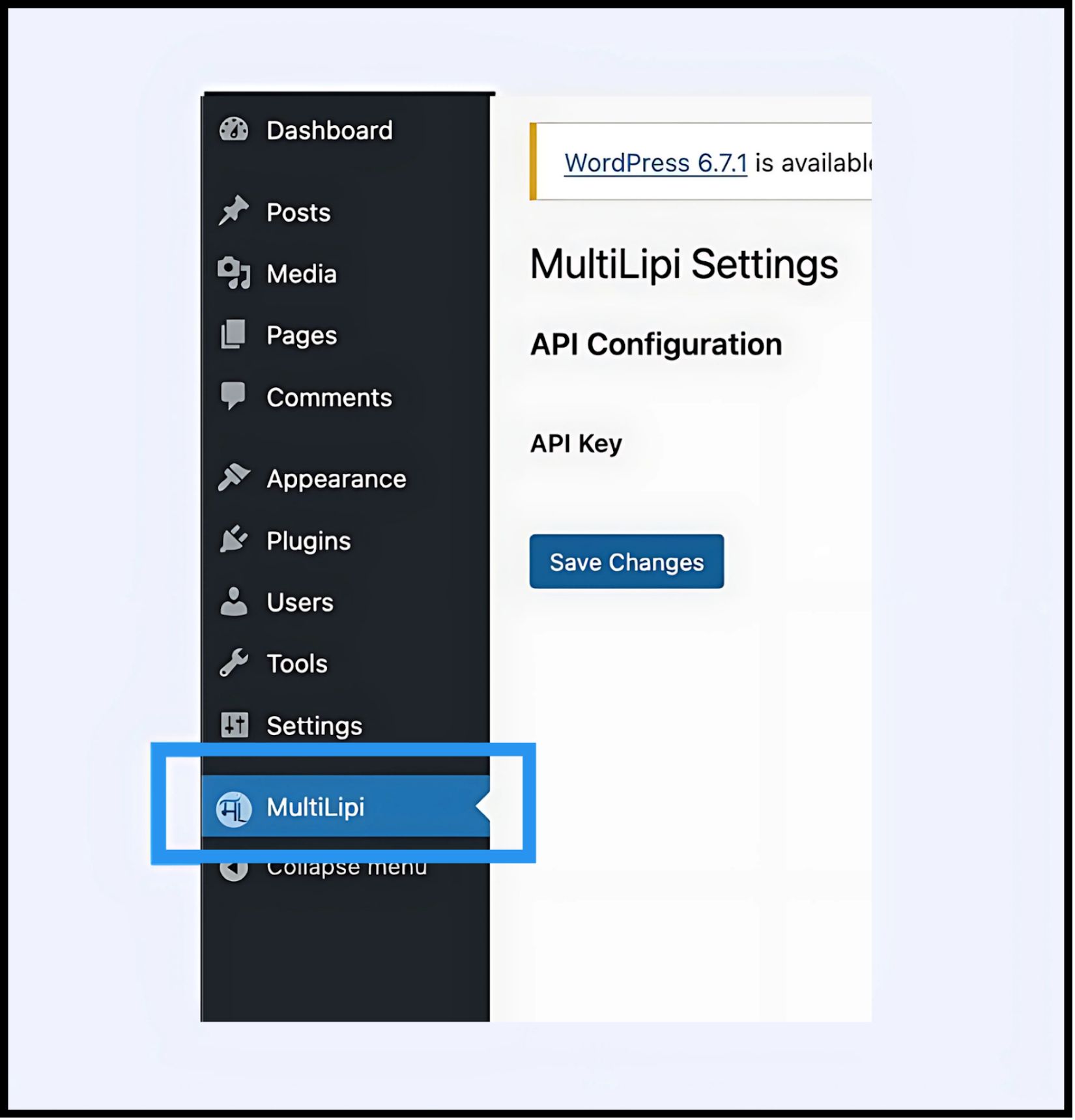
Ein neuer Menüpunkt mit der Bezeichnung MultiLipi erscheint unter Ihrem Hauptmenü Einstellungen Registerkarte.
3. Schritt 2: Richten Sie den API-Handshake ein
Sie müssen das Plugin authentifizieren, um Ihre Website mit Ihrem MultiLipi-Projekt zu verbinden.
- 1
Navigieren Sie zu Einstellungen > MultiLipi.
- 2
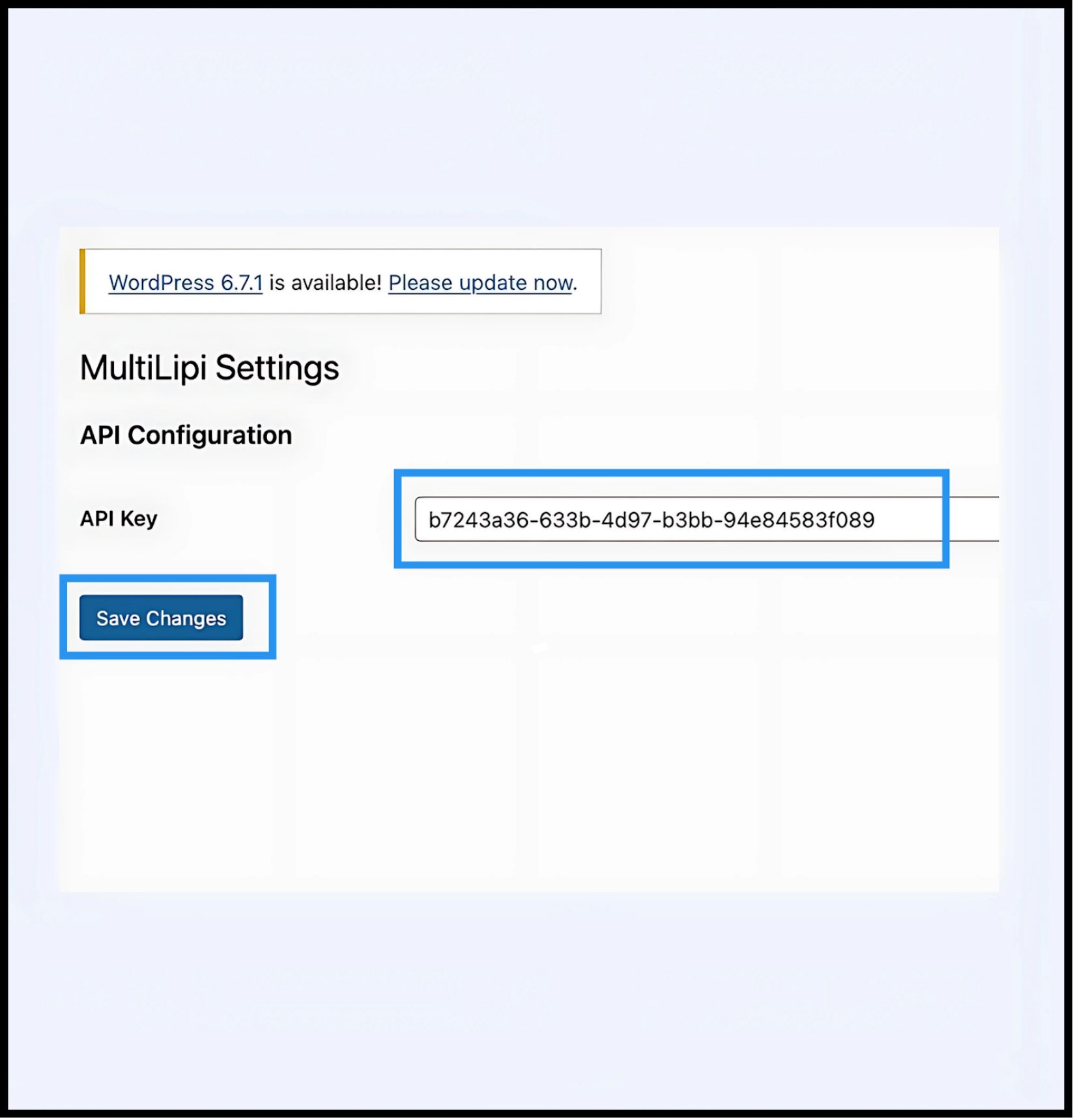
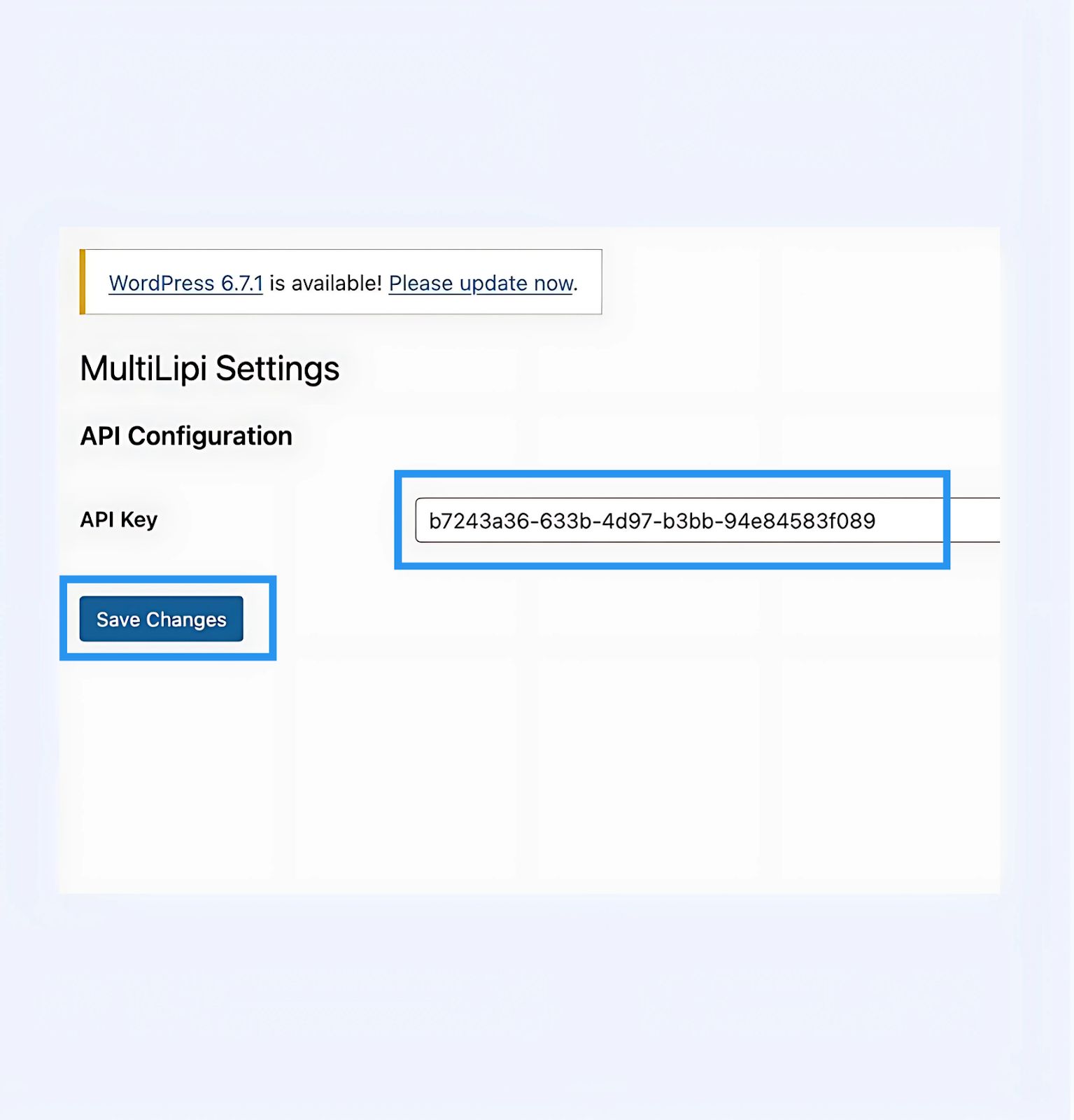
API-Konfiguration: Suchen Sie die API-Schlüssel Feld.
- 3
Authentifizierung: Fügen Sie Ihren eindeutigen Projekt-API-Schlüssel (kopiert von Ihrem MultiLipi-Dashboard) ein.
- 4
Commit: Klicken Sie auf Änderungen speichern.
Ergebnis
Das Plugin validiert den Schlüssel und stellt eine sichere Verbindung zur Übersetzungs-Engine her.
4. Schritt 3: Edge-Verifizierung
Nach der Authentifizierung ist die Übersetzungsschicht sofort aktiv.
Neu laden
Besuchen Sie Ihre öffentlich zugängliche Website.
Visuelle Prüfung
Der Sprachumschalter sollte in der unteren linken Ecke (Standardposition) erscheinen.
Funktionstest
Wechseln Sie die Sprachen und vergewissern Sie sich, dass der Inhalt sofort übersetzt wird.
Fehlerbehebungsprotokoll
- •Cache leeren: Wenn Sie Caching-Plugins (WP Rocket, W3 Total Cache) oder serverseitiges Caching (Varnish, Nginx) verwenden, müssen Sie Ihren Cache nach der Installation leeren, damit der Umschalter angezeigt wird.
- •Konfliktprüfung: Stellen Sie sicher, dass keine anderen Übersetzung-Plugins (wie WPML oder Polylang) auf denselben Seiten aktiv sind, da diese mit der DOM-Injektion in Konflikt geraten können.
5. Post-Deployment-Verwaltung
Mit dem aktiven Plugin ist Ihre WordPress-Website jetzt mit unserer Infrastruktur synchronisiert.
Glossar & SEO
Sie müssen Übersetzungen nicht innerhalb von WordPress verwalten. Melden Sie sich bei Ihrem MultiLipi-Dashboard an, um zu definieren Glossarregeln, konfigurieren Hreflang-Tags, und verwalten Übersetzte URLs.
Visuelle Überschreibungen
Benutzen Sie die Visueller Editor im MultiLipi-Dashboard, um Layoutprobleme zu beheben, die durch Textexpansion verursacht werden (z. B. in Deutsch oder Russisch).
Aktualisierungen
Alle im MultiLipi-Cloud vorgenommenen Übersetzungsbearbeitungen spiegeln sich sofort auf Ihrer WordPress-Website wider, ohne dass Sie das Plugin aktualisieren oder Caches erneut leeren müssen.