

Lokalisieren Sie Ihre Permalinks für maximale organische Sichtbarkeit und CTR.
In Internationales SEO , Ihre URL-Struktur ist das erste Signal, das ein Nutzer in den Suchergebnissen sieht. Wenn Ihre Inhalte auf Spanisch sind, Ihre URL aber weiterhin auf Englisch bleibt (z. B. /es/Preis ), du erzeugst eine "Sprachunübereinstimmung", die das Vertrauen und die Klickrate (CTR) verringert.
MultiLipis Slug-Übersetzungs-Engine beseitigt diese Reibung. Es übersetzt automatisch Ihre URL-Pfadsegmente (Slugs) in die Zielsprache und stellt sicher, dass Ihre Routing-Architektur mit Ihren Inhalten übereinstimmt.
- Englisch:
example.com/pricing - Spanisch:
example.com/es/precios - Deutsch:
example.com/de/preise
1. Der SEO-Vorteil
Warum deine Routing-Schicht lokalisieren?
Schlüsselwort-Relevanz
Suchmaschinen heben Schlüsselwörter in der URL hervor. Die Übersetzung des Slugs platziert deine Ziel-Keywords (z. B. "precios") direkt in den Link, was den Rang für lokale Abfragen erhöht.
Kognitive Flüssigkeit
Eine vollständig lokalisierte URL fühlt sich native an. Es signalisiert dem Nutzer, "Diese Seite ist eigentlich für mich," statt "Das ist nur eine automatisch übersetzte Kopie."
Strukturkonsistenz
Es bringt deine Breadcrumbs und die Seitenarchitektur in Einklang und schafft eine logische Hierarchie für Crawler.
2. Konfigurationsprotokoll
Aktiviere die Routing-Engine.
Um die automatische Pfadübersetzung zu ermöglichen, folgen Sie diesen Schritten in Ihrem Kommandozentrum:
Access-Projektkontext
- Melden Sie sich bei Ihrem MultiLipi Dashboard .
- Navigieren Sie zu Projekte In der linken Seitenleiste, um deine aktiven Integrationen anzuzeigen.
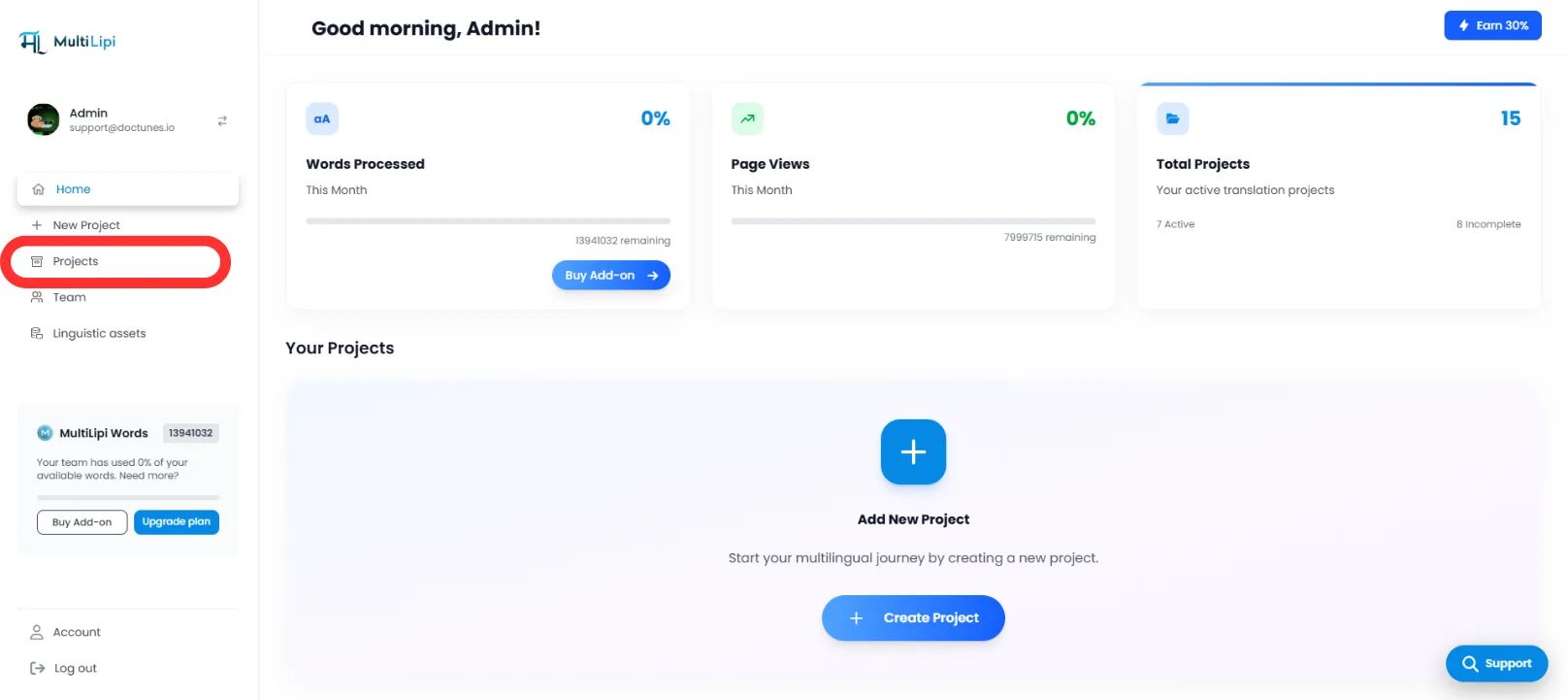
Ausgewählte Zielarchitektur
- Finden Sie das spezifische Projekt/die Website, die Sie konfigurieren möchten.
- Klicken Sie auf das Symbol Reiter für das gewünschte Projekt um seine Einstellungen einzugeben.
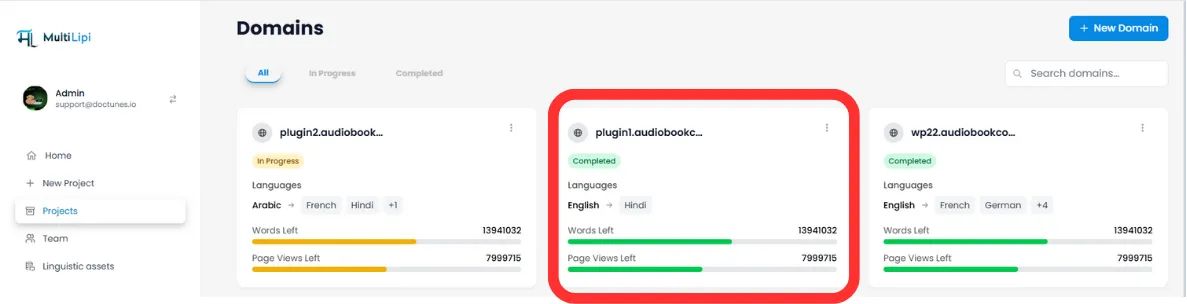
Zugangseinrichtung
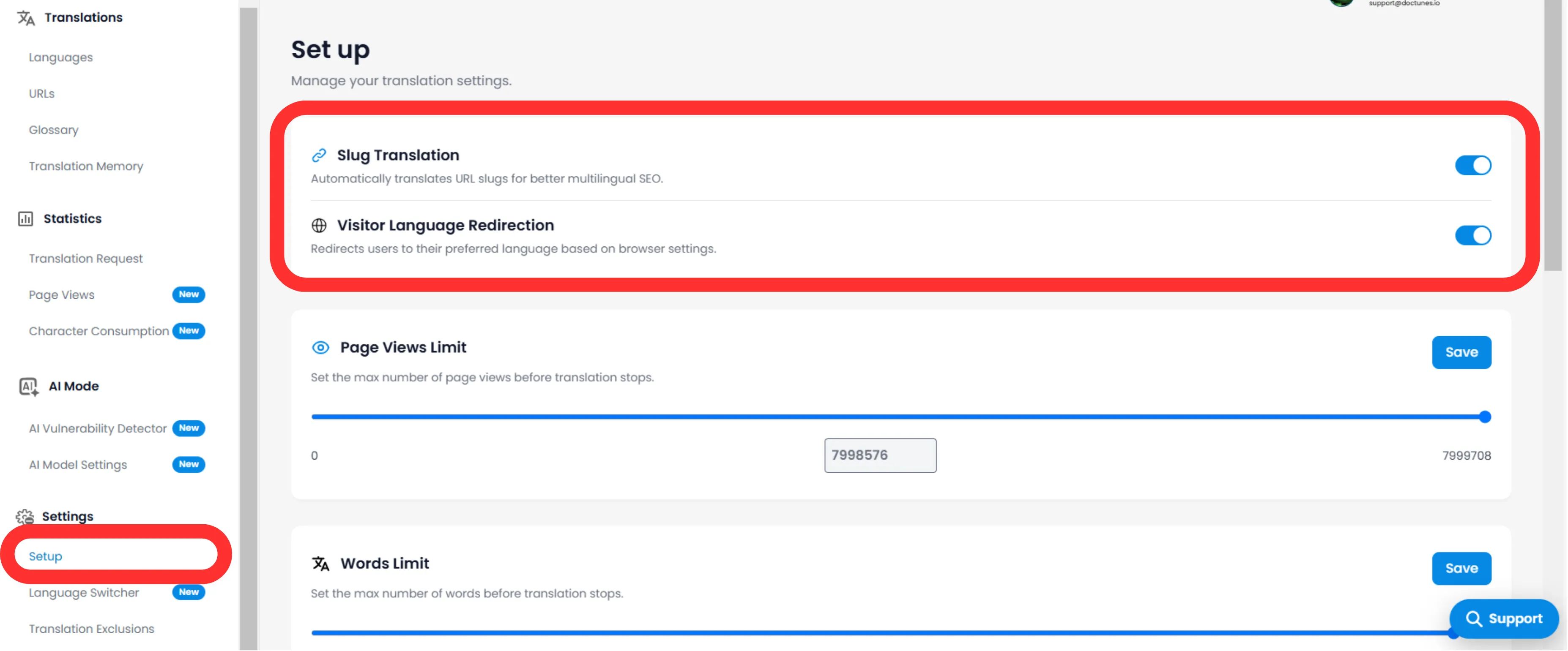
- Im Untermenü des Projekts (linke Seite) klicken Sie auf Einstellungen .
- Auswählen Einrichtung .
Toggle Slug-Motor
- Scrollen Sie zum Slug-Übersetzung Abschnitt.
- Action: Schalte den Schalter auf ON (Blau) .
- Systemaktion: Die Engine fängt nun URL-Anfragen ab und liefert den lokalisierten Slug für alle Zielsprachen.
3. Technisches Verhalten
Wie sie mit Umleitungen umgeht.
Sobald aktiviert, verwaltet das System die Zuordnung automatisch.
301 Weiterleitungen
Wenn ein Benutzer (oder Bot) versucht, auf die alte, nicht übersetzte URL zuzugreifen ( /es/Preis ), leitet MultiLipi sie automatisch 301 auf die neue optimierte URL um ( /es/precios ). Das bewahrt deine Link-Equity (SEO-Saft).
Sitemap-Injektion
Deine XML-Sitemaps werden automatisch aktualisiert, um diese neuen, lokalisierten URLs für Googlebot zum Crawlen aufzulisten.
🌐 Automatische URL-Lokalisierung: Indem Sie Ihre URL-Slugs übersetzen, schaffen Sie ein nahtloses internationales Erlebnis, das sowohl SEO-Rankings als auch das Vertrauen der Nutzer in allen Zielmärkten stärkt.