
1. Das Prüfungsprotokoll
Schritt 1: Zugriff auf den Projektkontext
Melden Sie sich in Ihrem MultiLipi-Dashboard an.
In der linken Seitenleiste unter dem Übersetzungen Klicke auf dein aktuelles Projekt, um die spezifischen Einstellungen zu öffnen.
Schritt 2: Zugriff auf die Routing-Karte
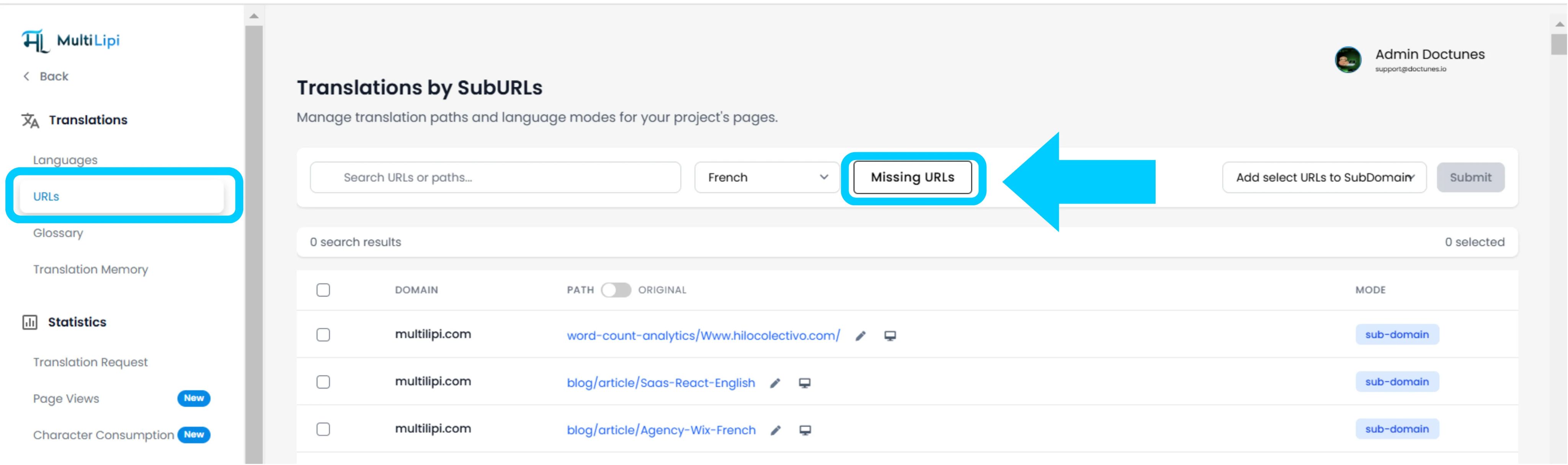
Klicken Sie in der Projektansicht auf das Symbol URLs Option in der Seitenleiste.
Kontext: Dieses Panel zeigt das Register aller aktuell erfassten und übersetzten Pfade an.
Schritt 3: Definieren Sie den Zielkontext
Finden Sie das Dropdown-Menü neben der Suchleiste.
Action: Wählen Sie die spezifische Sprache, die Sie prüfen möchten (z. B. Französisch).
Logik: Das System wird nun den Source (englischen) Index mit dem französischen Index vergleichen.
Schritt 4: Scan ausführen
Klicken Sie auf das Symbol Fehlende URLs Knopf.
Systemaktion: Die Engine scannt deine Quelldomäne nach gültigen Pfaden, die in der aktuellen Sprachkarte fehlen.
2. Aufnahme und Synchronisation
Prüfungszusammenfassung
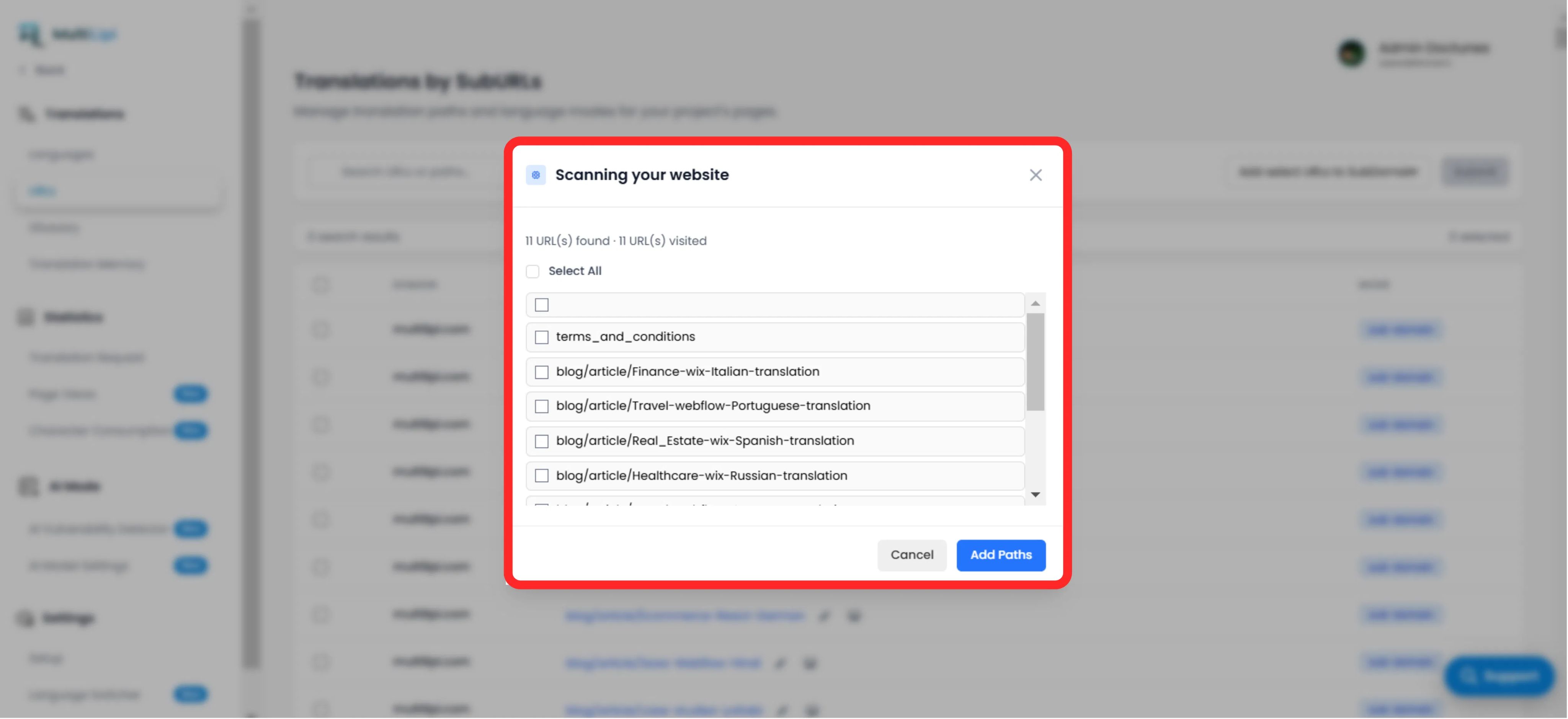
Zeigt die Gesamtzahl der nicht übersetzten Pfade an.
Wegliste
Eine granulare Liste jeder spezifischen URL (z. B. /blog/new-feature ), die in der Zielsprache fehlt.
Das Fixprotokoll
Auswahl: Kreuze manuell die Kästchen für bestimmte Seiten an oder klicke auf "Alle auswählen", um den gesamten Batch zu synchronisieren.
Begehen: Klicken Sie auf die Schaltfläche "Pfade hinzufügen".
Ergebnis: Diese URLs werden sofort zur Übersetzungswarteschlange hinzugefügt. Das System erzeugt nun die lokalisierten Versionen und ermöglicht dem Datenverkehr, sie zu erreichen.
3. Strategische Vorteile
SEO-Abdeckung
Suchmaschinen können Seiten nicht indexieren, die nicht existieren. Das Hinzufügen dieser URLs stellt sicher, dass Google Ihre gesamte Website auf Französisch indexiert, nicht nur auf der Startseite.
Sackgassenprävention
Stellt sicher, dass ein Nutzer, der auf einer tiefen Seite die Sprache wechselt, nicht auf die Startseite zurückgeworfen wird, weil die spezifische Übersetzung fehlte.
Automatisierte Entdeckung
Es entfällt die Notwendigkeit manueller Tabellenkalkulationen, um nachzuvollziehen, welche Blogbeiträge übersetzt wurden.
Profi-Tipp
Nachdem Sie neue Wege eingeschlagen haben, navigieren Sie auf KI-Modus > Schwachstellendetektor um eine sofortige SEO-Gesundheitsprüfung dieser neu erstellten Seiten durchzuführen, um sicherzustellen, dass sie für den Start optimiert sind.