

Sichern Sie den Zugriff auf Ihre Infrastruktur durch regelmäßige Rotation von Anmeldeinformationen.
Der Schutz Ihres MultiLipi Command Centers ist entscheidend. Ob Sie Compliance-Richtlinien Ihres Unternehmens einhalten oder einfach Ihre Sicherheit auffrischen möchten, Sie können Ihre Zugangsdaten direkt vom Dashboard aus rotieren, ohne dass ein Support-Eingriff erforderlich ist.
Diese Anleitung beschreibt das Protokoll zur Aktualisierung Ihres primären Kontopassworts.
1. Zugriff auf Sicherheitskontrollen
Um eine Anmeldeinformationsaktualisierung einzuleiten:
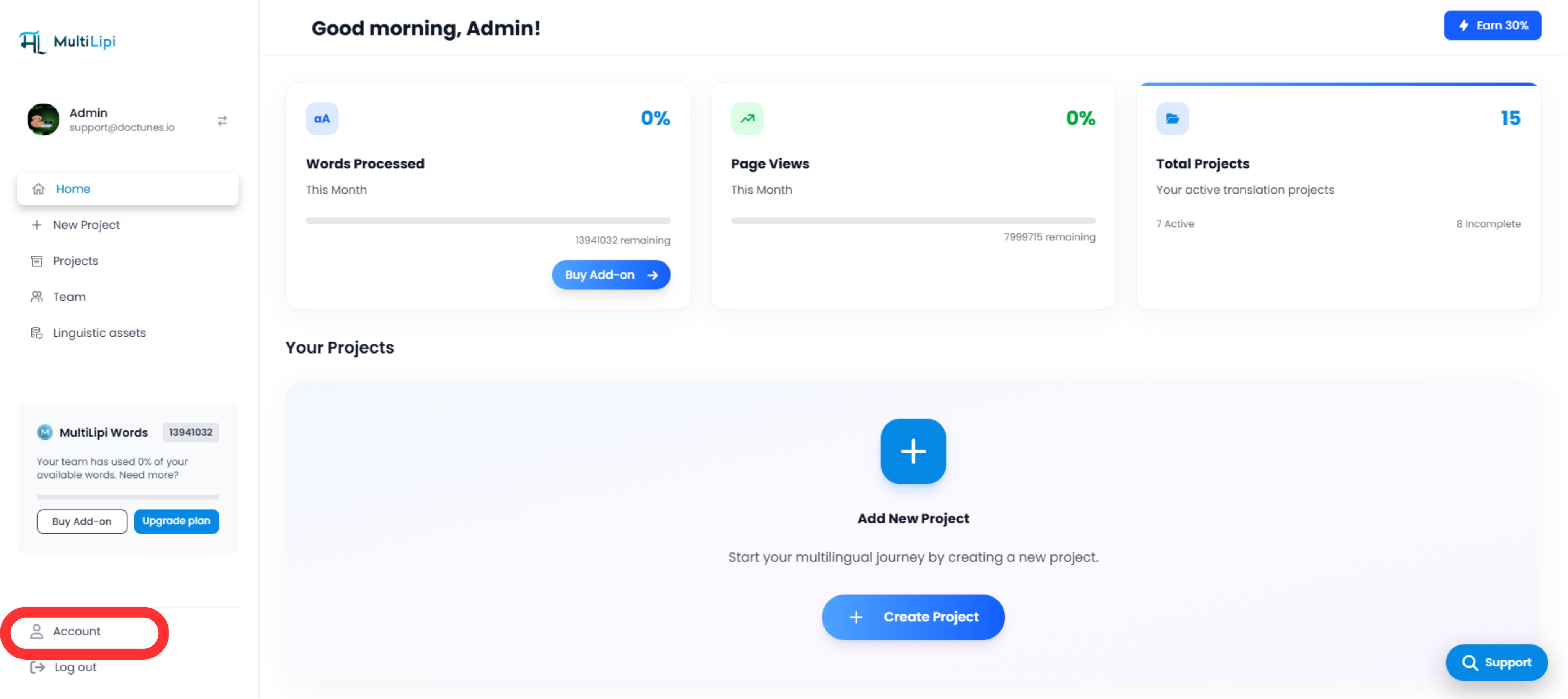
2. Ausführung der Aktualisierung
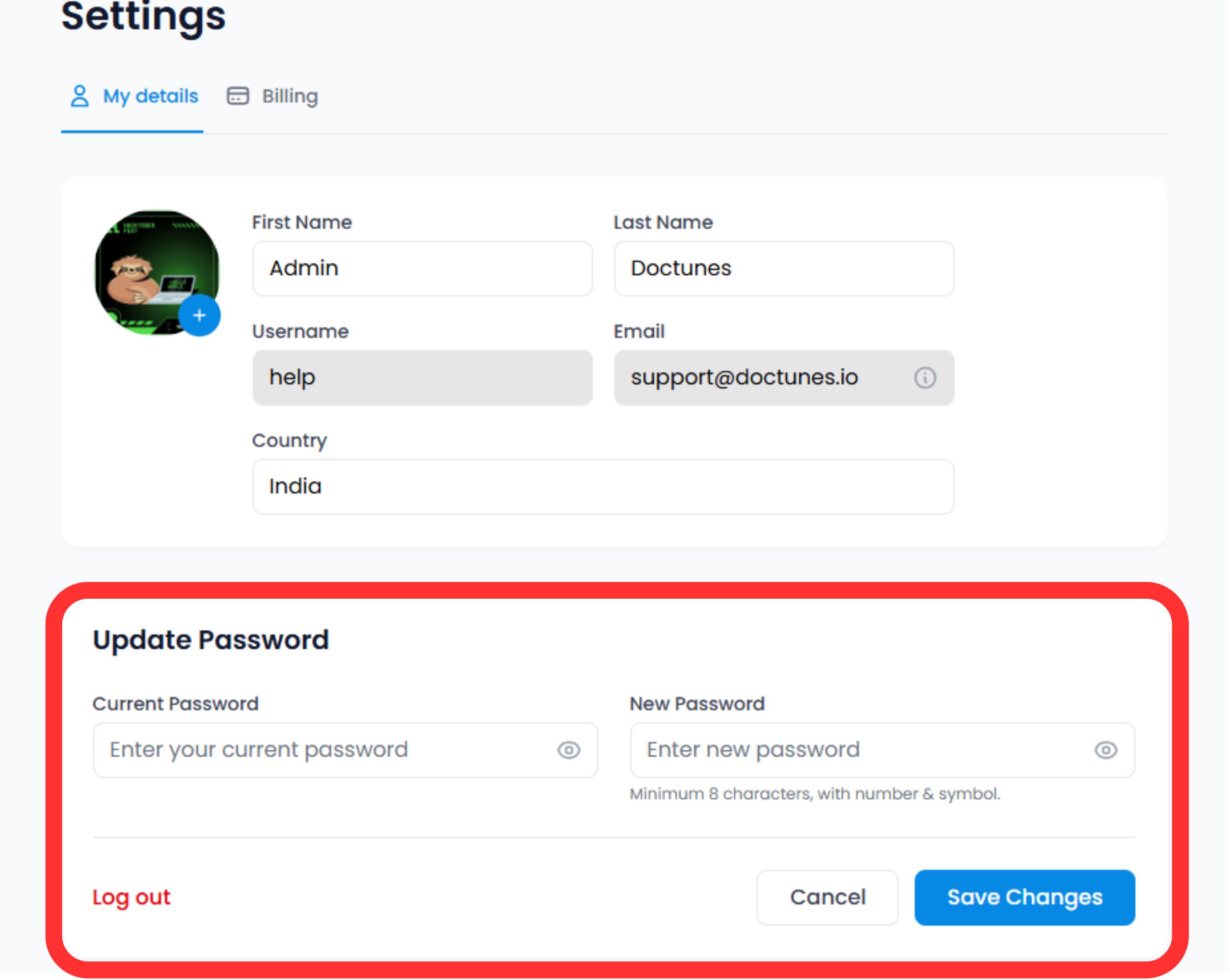
Scrollen Sie zum Sicherheitsbereich am unteren Rand des Profilformulars.
Identität überprüfen
Geben Sie Ihr Aktuelles Passwort um die Änderung zu autorisieren.
⚠️ Sicherheitshinweis: Sie können Ihr Passwort nicht ändern, ohne Ihre aktuelle Zugriffsebene nachzuweisen.
Neue Anmeldeinformationen festlegen
Geben Sie Ihr Neues Passwort.
Commit
Klicken Sie auf Änderungen speichern.
Systemaktion
Das Update ist sofort wirksam. Möglicherweise müssen Sie sich auf anderen Geräten, auf denen Ihre Sitzung aktiv ist, erneut authentifizieren.
3. Anmeldeinformationen-Standards (Best Practices)
Für maximale Sicherheit empfehlen wir die Einhaltung der folgenden Komplexitätsregeln:
Länge
Minimum 12 Zeichen.
Komplexität
Mischung aus alphanumerischen Zeichen (A-Z, 0-9) und Sonderzeichen (!@#$).
Einzigartigkeit
Verwenden Sie keine Passwörter von anderen Diensten wieder.
4. Wiederherstellungsprotokoll
Ausgesperrt?
Wenn Sie Ihr aktuelles Passwort nicht mehr wissen, um die obigen Schritte zur Aktualisierung durchzuführen, Verwenden Sie dieses Formular nicht.
Aktion:
Melden Sie sich ab und verwenden Sie die "Passwort vergessen" Link auf dem Anmeldebildschirm. Dies löst einen E-Mail-basierten Wiederherstellungsfluss aus, um Ihre Identität extern zu überprüfen.
🔒 Sicherheitspraktiken
Wir empfehlen, Ihr Passwort alle 90 Tage zu ändern und die Zwei-Faktor-Authentifizierung (2FA) für eine zusätzliche Sicherheitsebene zu aktivieren. Regelmäßige Aktualisierungen der Anmeldeinformationen helfen, Ihre MultiLipi-Infrastruktur vor unbefugtem Zugriff zu schützen.
Erfahren Sie mehr über die Einrichtung von 2FA